Make Ebooks For Amazon KDP,
Etsy, Gumroad —
Anywhere You Can Sell Ebooks
Unlimited ebooks. No design skills needed.
Ebookerr is a full-fledged AI ebook writer, not just an assistant. Describe your topic and it plans the outline, groups it into Parts, and writes every chapter for you — a complete, structured book dropped straight into the editor in one go. Then 50 stunning templates make it beautiful, and one click exports to PDF, EPUB & Word, ready for Amazon KDP, Etsy, Gumroad, Payhip, your own site, or anywhere else ebooks sell — or import a Word doc you've already written and turn it into a designed ebook instantly.
Writing The Book Is The Easy Part.
Making It Look Like A Real Ebook Is Where Everything Falls Apart.
You've got the content. Maybe it's a Word document sitting on your desktop, a series of blog posts you know would make a great guide, or an idea you've been meaning to turn into a lead magnet for months. The writing isn't actually the hard part — turning that content into something that looks and behaves like a real, professional ebook is where most people get stuck. Here's exactly why.
Word Was Never Built For This
Microsoft Word is a document editor, not an ebook builder. Hit "Save As PDF" and you get exactly what you'd expect: a plain document with your margins, your page numbers, and zero design. No cover. No styled chapters. No table of contents that actually links anywhere. It reads like a Word file because, underneath the export, that's all it is.
EPUB Is a File Format, Not a Feature
An EPUB isn't something you can just "save" from Word — there's no built-in option at all. A real EPUB file is a structured package of XHTML and CSS files zipped together in a very specific way, and getting it wrong means the file fails to open properly on Kindle, Apple Books, or Kobo. Building one by hand means learning a file format most people will never need to touch again after this one project.
Hiring It Out Isn't Cheap Either
The alternative is paying someone else to do it — a freelance formatter or designer. Rates typically run anywhere from $50 for something basic to $300–$500+ for a fully designed, branded ebook with a custom cover. And that's before the back-and-forth: sending revisions, waiting for turnaround, and hoping the final file actually opens correctly on every device your readers use.
Free Tools Cut Corners
Free online "converters" exist, but they tend to break the moment your document has more than one chapter, slap a watermark across every page, or strip out your images and formatting entirely. They solve the price problem and create a new one.
Even When You Finish, You're Not Really Done
Say you push through and get a passable PDF. You still don't have an EPUB for Kindle or Apple Books. You still don't have a designed cover. You still don't have a clickable table of contents. One format, hours of effort, and the job's still only half-finished.
None of this is a writing problem. It's a tooling problem — and it's the exact reason so many good ideas never turn into a finished ebook.
Ebookerr — Every One Of Those Problems,
Solved In The Same Tool
Ebookerr is a browser-based ebook creator built specifically to remove every friction point above — no coding, no freelancers, no waiting.
Real Design, Not a Document Export
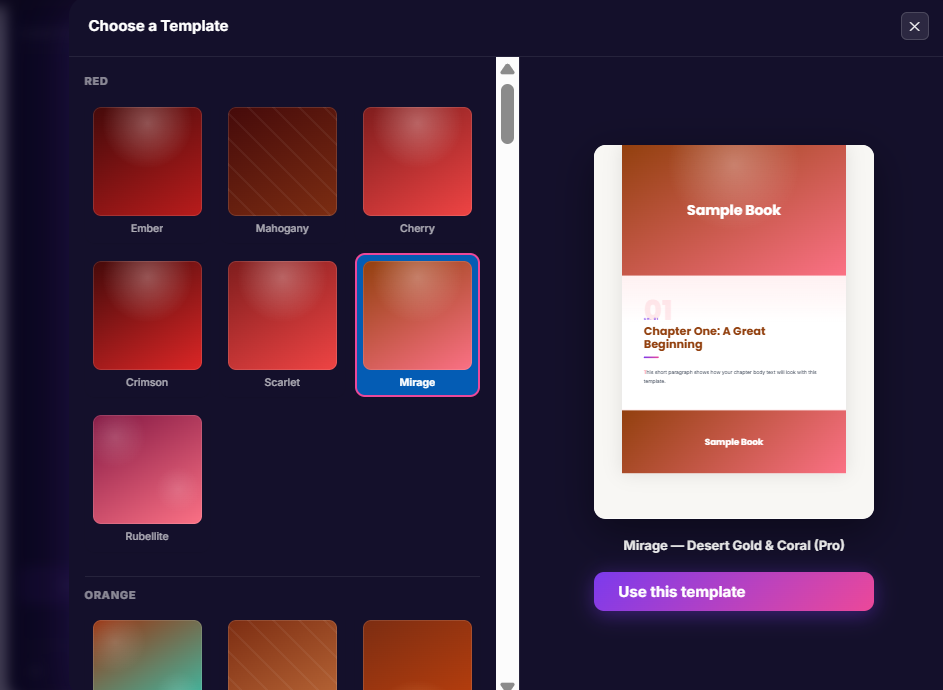
Instead of a plain Word-to-PDF dump, every ebook you build in Ebookerr uses one of 50 professionally designed templates — a real cover, styled chapter headers, matching fonts and colors — so the finished file looks designed, not converted.
EPUB Without Touching a Single Line of Code
Ebookerr builds a fully valid EPUB 3 file behind the scenes automatically. You never see XHTML, you never touch CSS, and you never worry about whether it will open correctly on Kindle, Apple Books, or Kobo — it's handled for you, every time.
No Freelancers, No Waiting, No Per-Book Fees
There's no $50–$500 formatting bill and no back-and-forth with a designer. One flat monthly subscription covers unlimited ebooks — create as many as you want, whenever you want, with the design work built directly into the tool.
Nothing Broken, Nothing Watermarked
Multi-chapter documents, images, and formatting are handled properly regardless of how long or complex your ebook is — no arbitrary chapter limits, no watermarks on your final file.
Actually Finished, Not Half-Finished
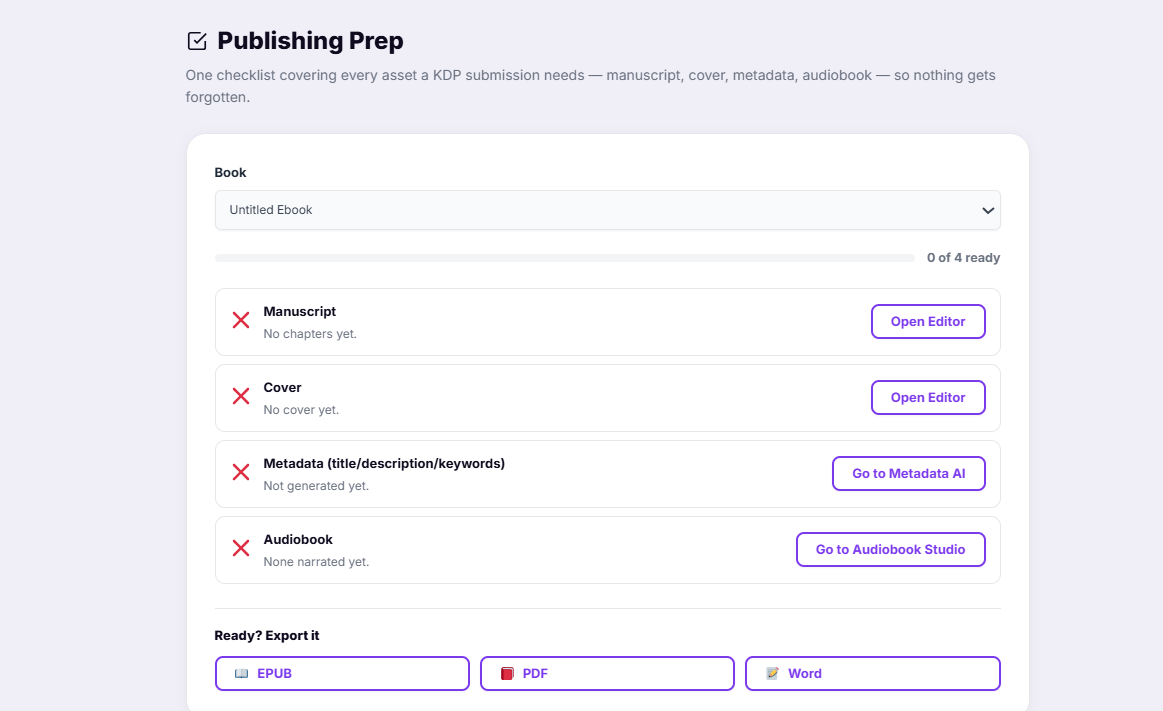
One click exports your ebook as a designed PDF, a valid EPUB, and an editable Word file — with a clickable table of contents already built in for every format. You leave with everything you needed, not just the first half of it.
Why Smart Marketers Keep
Coming Back To Ebooks
Now that the formatting and design bottleneck is gone, it's worth stepping back and looking at why ebooks remain one of the most reliable digital products anyone can build — a fact that hasn't changed in over a decade.
Zero Inventory, Zero Overhead
There's no manufacturing, no shipping, no warehouse, no returns to process. You write it once, export it, and sell the same file an unlimited number of times. Your only "production cost" is the time it takes to create it — and with an AI writing assistant doing the heavy lifting, that cost keeps shrinking.
A One-Time Effort, Sold Forever
Unlike a service you trade hours for, an ebook is an asset. Finish it once and it can generate sales or leads every single day after that, with no extra work required unless you choose to update it.
Insanely Low Barrier To Entry
You don't need a factory, a team, or a five-figure budget. All you need is knowledge worth packaging — and most people already have it, whether that's a skill, a process, industry experience, or a well-researched topic.
It Fuels Everything Else You Do
An ebook isn't just something you sell directly. It's a lead magnet that builds your email list, a bonus that increases the perceived value of another offer, a credibility piece that positions you as an expert, and a front-end product that pulls buyers into a bigger funnel.
Proven, Not Trendy
Ebooks aren't a fad. Self-published digital books have been a legitimate, growing income stream for over a decade, across every niche from business and health to hobbies and fiction — because the format simply works: easy to consume, easy to distribute, easy to price.
High Margins, Global Reach
There's no shipping cost, no customs, no printing bill eating into your price. A buyer in another country checks out exactly the same way as one down the street, 24/7, with almost the entire sale price left as profit after payment fees.
Powerful Features.
Zero Complexity.
No design skills, no hidden fees.
AI Writing Assistant
Let AI draft every chapter for you. Give it a topic or outline and it writes clean, ready-to-use content — then expand, shorten or rewrite any passage by simply selecting it. Works with OpenAI, Anthropic, Google Gemini, Mistral, DeepSeek or xAI — use your own key with any of them.
A Full-Fledged AI Ebook Writer
This isn't a one-line-at-a-time assistant — describe your topic and Ebookerr plans a complete chapter outline, automatically groups longer books into Parts, then writes every chapter in order with full continuity from start to finish, all dropped straight into the editor.
50 Stunning Templates
From Midnight starfields to Art Deco Noir, Rose Gold to Cyberpunk Neon — choose from 50 designer templates, each with its own font pairing, decorated cover, chapter styling and accent colors.
Rich Editor + 5 Highlight Boxes
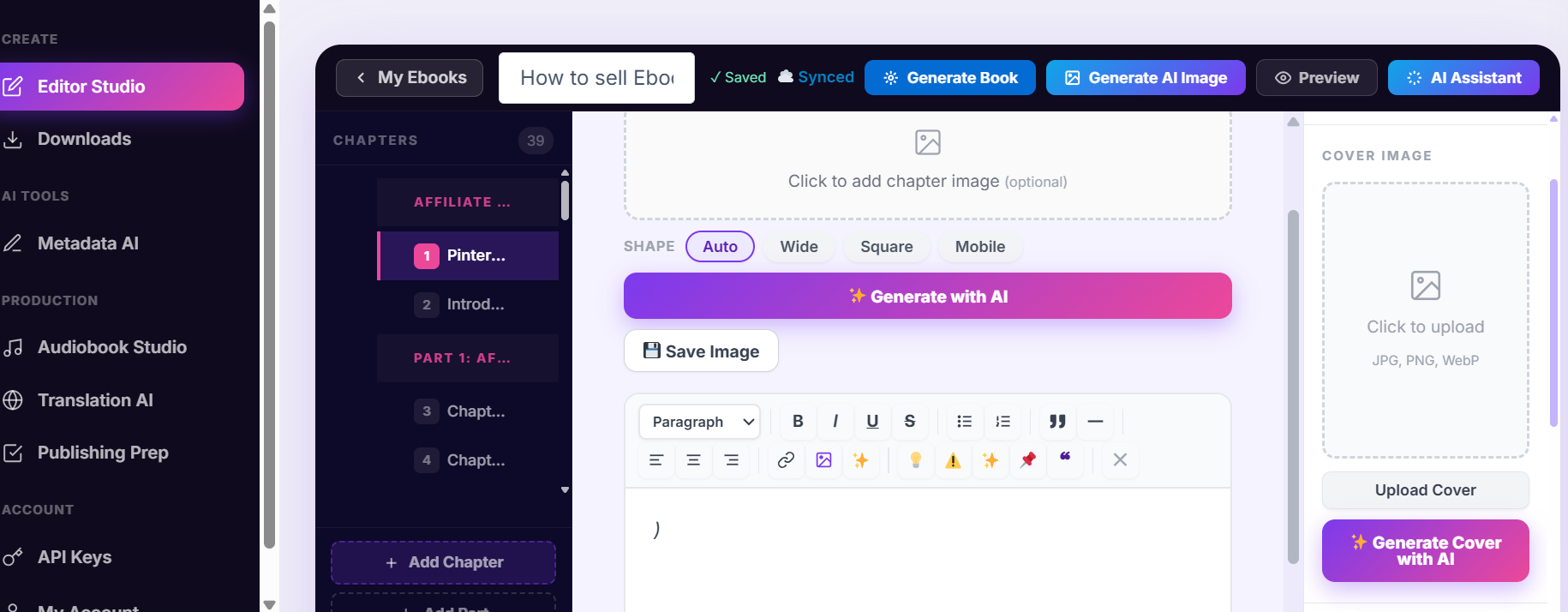
A powerful rich-text editor for every chapter — plus 5 stunning highlight boxes (Tip, Warning, Key Point, Note and Quote Spotlight) to make important passages pop off the page.
Import a Word Document
Already have a manuscript? Import your .docx file directly — Heading 1 (and Part) styles are detected automatically and turned into chapters, ready to design and export.
PDF, EPUB & Word Export
Export your complete ebook as a beautifully formatted PDF, EPUB, or Word (.docx) file with a single click. No third-party services required.
Live Preview Mode
Preview your ebook exactly as readers will see it — cover, table of contents, and every chapter styled beautifully.
Auto Table of Contents
Generated automatically from your chapter titles. No configuration needed.
Drag-and-Drop Chapters & Parts
Reorder chapters and group them into Part dividers with a simple drag handle.
Unlimited Ebooks
No per-ebook charges, no limits on chapters or pages.
From Idea to
Published Ebook in 3 Steps
No learning curve. No tutorials required.
Create Your Ebook
Click "New Ebook," give it a title, and start adding chapters — or import an existing Word document and let Ebookerr turn it into chapters automatically. Upload a cover, pick one of the 50 designer templates, and drag and drop to reorder chapters anytime.
Write With AI
Let the AI Writing Assistant draft every chapter — give it a topic or outline and insert the result straight into your editor. Select any passage to expand, shorten, or rewrite it, or write everything yourself.
Preview & Export
Preview your finished ebook in a reader-ready format with cover and auto-generated table of contents. Hit "Export" and your professional ebook is ready to sell, share, or distribute.
What You're Actually
Getting
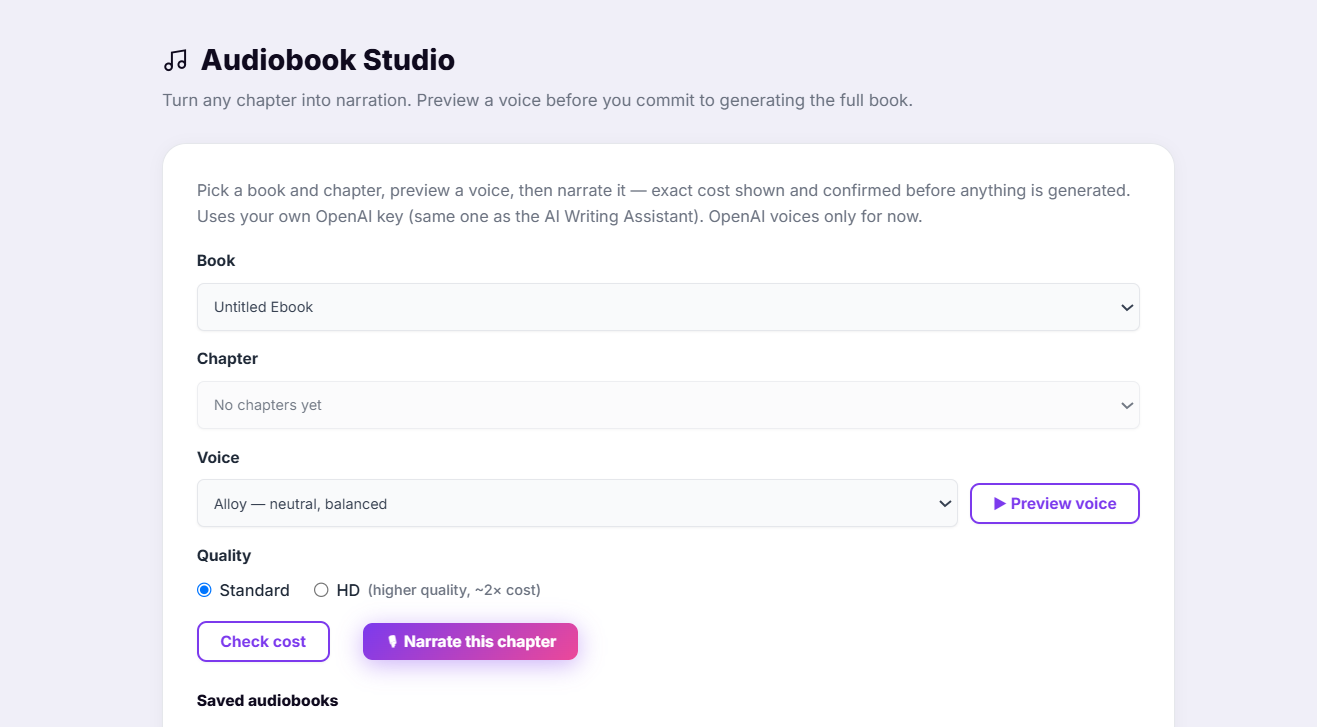
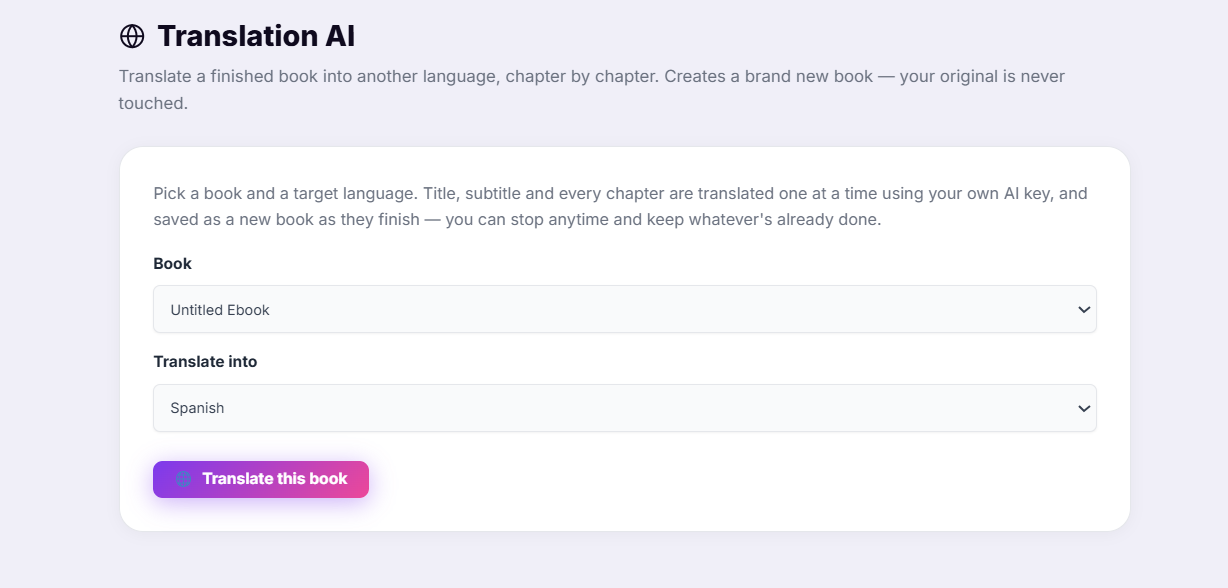
Real screenshots of the actual app — click any image to zoom in.
Who Uses Ebookerr?
Coaches & consultants who need a lead magnet ebook this week, not next month
Bloggers turning their best posts into a downloadable guide
Course creators packaging workbooks and course companions
Freelancers offering ebook formatting as a client service
Kindle & self-publishing authors who want clean EPUB exports
Agencies producing lead magnets for multiple clients
Affiliate marketers building content upgrades for their sites
Anyone with a Word document and no idea how to turn it into a real ebook
You've Got The Ebook —
Here's Where It Can Make You Money
An ebook is only as good as the places you put it. Once you've exported your PDF or EPUB from Ebookerr, here are the channels people use to actually sell or distribute them.
Your Own Website / WordPress
Sell directly with a plugin like WooCommerce or Easy Digital Downloads — you keep full control of the customer, the email list, and 100% of the revenue minus payment processing fees.
Gumroad
One of the fastest ways to start selling a digital download with zero setup — create a product page, upload the file, and share the link. Popular for a simple, no-website storefront.
Payhip
Similar to Gumroad, with built-in EU VAT handling — useful if you're selling to European customers, since it automatically manages VAT compliance for digital products.
Amazon KDP
Publish your EPUB to the world's largest ebook marketplace and reach Kindle's massive built-in audience. Best suited for books meant to be discovered by readers actively browsing.
Etsy
Increasingly popular for niche, visually designed digital downloads — worksheets, planners, and short guides do particularly well here, especially with a well-designed cover.
Podia / Whop
Good options if you want to bundle your ebook alongside a course, community, or membership rather than sell it as a standalone product.
Your Email List
Often the highest-converting channel of all — a well-timed email to a warm list selling (or gifting) an ebook usually outperforms cold traffic to any marketplace.
As a Lead Magnet
Give the ebook away for free in exchange for an email address, then monetize the relationship afterward through your list, other offers, or affiliate promotions — often more profitable long-term than a one-time sale.
Facebook & Niche Communities
Groups built around your topic are often an overlooked but effective place to share and sell directly to an already-interested audience.
The point isn't to be on all of these at once — it's that a single ebook, once created, can be repurposed across every one of these channels without writing a single new word.
How Much Can You Actually
Earn With Ebooks?
The honest answer: it depends entirely on your content, your audience, and where you sell — nobody can promise you a number. But here's the simple math behind three common ways people use an ebook, so you can see what actually has to happen to hit a given income.
Direct Sales (Gumroad, Payhip, Your Site)
A $17 ebook selling just 10 copies a week to an email list or Facebook group works out to roughly $680/month — no ad spend, no inventory, from one file you built once.
Lead Magnet → Backend Offer
Give the ebook away free to capture emails. At 500 new subscribers a month, even a modest 2% converting into a $97 offer works out to roughly $970/month — the ebook itself doesn't need to sell a single copy to pay for itself many times over.
Kindle / Marketplace Royalties
A $4.99 Kindle book selling 50 copies a month at roughly 70% royalty works out to around $175/month — from a single listing that keeps selling while you sleep, with zero extra work per sale.
These are illustrative examples of the math, not a promise or a typical result — your real numbers depend on your content, your audience, and the effort you put into promoting it. See the full disclaimer at the bottom of this page.
See How Ebookerr Stacks Up
Get Started Today
For $13.97/Month
Cancel anytime. No contracts.
Ebookerr Lite
Monthly Subscription
- AI Writing Assistant — drafts every chapter
- Generate a complete ebook with AI in one click
- Expand, shorten & rewrite any passage with AI
- Use your own key with OpenAI, Anthropic, Gemini, Mistral, DeepSeek or xAI
- 50 stunning designer templates
- 5 decorative highlight boxes (Tip, Warning, Key Point, Note, Quote)
- Import Word (.docx) documents straight into the editor
- Unlimited ebooks — no caps ever
- Unlimited chapters per ebook
- Drag-and-drop chapter & Part builder
- Cover image upload (any size)
- Rich text editor per chapter
- Per-chapter image support
- Auto table of contents
- One-click PDF, EPUB & Word (.docx) export
- Clickable table of contents in every format
- All future updates included
- Priority email support
- 7-day money-back guarantee
7-Day Money-Back Guarantee
Not happy? Email support@ebookerr.com within 7 days of purchase for a full, no-questions-asked refund. Zero risk.
Frequently Asked Questions
Ready to Start Building
Professional Ebooks?
Export to PDF, EPUB & Word. Cancel anytime.
Get Instant Access — $13.97/moEbookerr is a software tool for creating ebook files. Any references to time saved, income potential, or cost comparisons are for illustrative purposes; individual results will vary depending on your content, effort, and chosen sales channel. We do not guarantee any specific income, sales, or business result from using this product.