Quick answer: Yes, it’s entirely possible to create a professional-looking ebook without any design skills. The key is choosing a template-based tool that handles layout, spacing, and typography automatically — such as Ebookerr, Canva, or Beacon — instead of trying to build a book from scratch in a program like Microsoft Word or InDesign. With the right tool, a finished, publish-ready ebook can go from a blank page to a downloadable file in a few hours, even with zero prior design experience.
The rest of this guide walks through exactly how that process works, which tools make it easiest, and the mistakes that tend to make a self-made ebook look unpolished.
Why Design Skills Aren’t Actually Required Anymore
A few years ago, producing a book that looked professional usually meant hiring a freelance designer or spending days learning software like Adobe InDesign. That’s no longer the case. Modern ebook tools are built around pre-designed templates, meaning the layout, font pairing, spacing, and color scheme are already handled before a single word is typed. The person creating the book is really just filling in a structure that a designer already built into the template.
This shift matters most for three groups of people: authors self-publishing their first book, coaches or consultants building a lead magnet, and small businesses producing guides or resources for customers. None of these groups needs a design background — they need a tool that removes design decisions from the process entirely.
Step-by-Step: Creating an Ebook With No Design Background
1. Choose a Template-Based Tool, Not a Blank Document
The single biggest factor in whether a non-designer ends up with something that looks professional is the starting point. Opening a blank Word document or blank Canva canvas invites decisions about margins, fonts, and spacing that most people aren’t equipped to make well. Choosing a pre-built template avoids that problem entirely.
Ebookerr, for example, is built specifically around this idea — the interface only asks for content, while the formatting, spacing, and layout are already built into the template. At $9.97/month for unlimited use, it’s a low-risk way to test this approach without committing to a expensive design tool that requires a learning curve. It also exports directly to EPUB, PDF, and Word, so there’s no need for a separate conversion step once the book is finished.
2. Outline the Content Before Opening Any Software
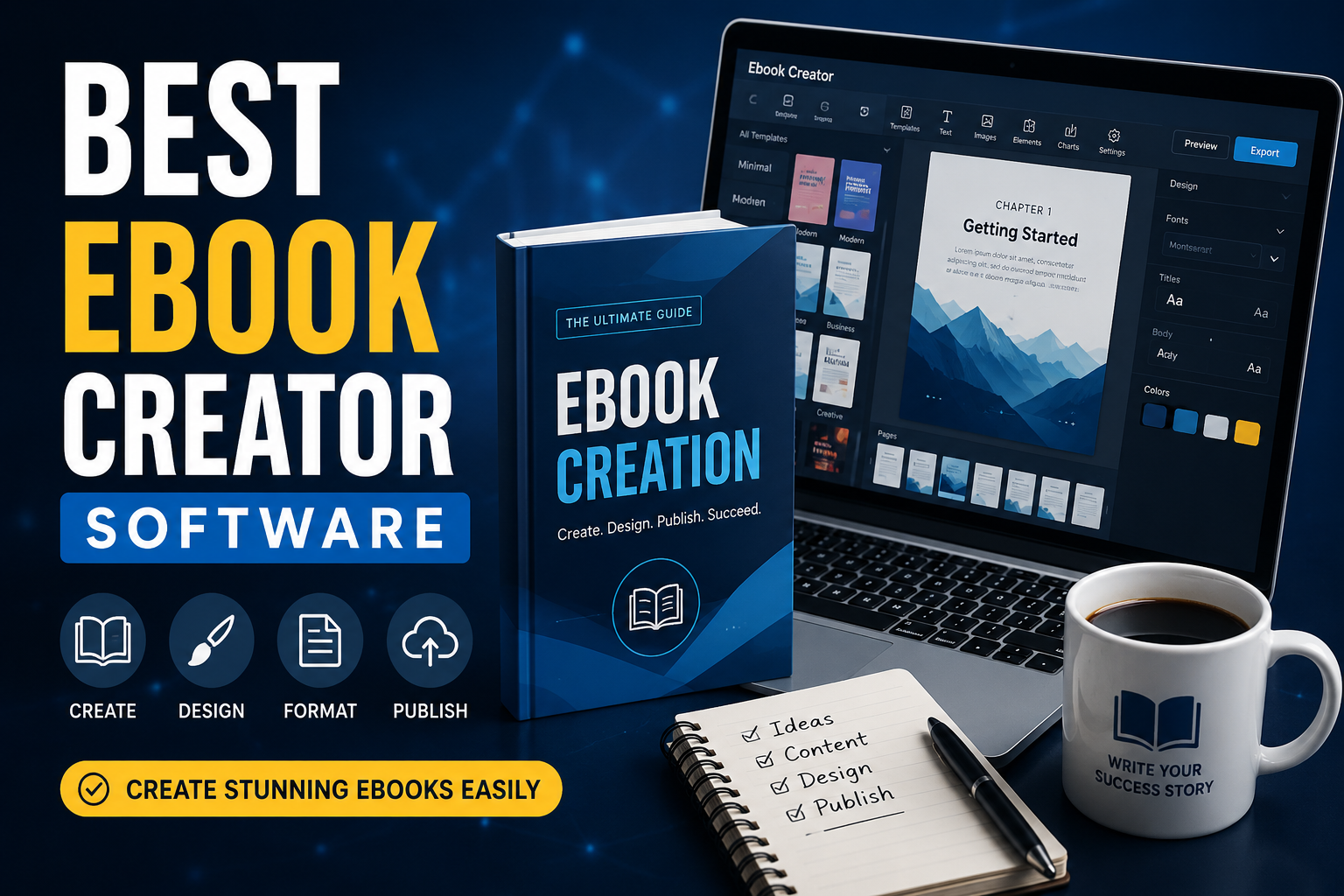
Design tools can’t fix a disorganized book. Before touching any software, it helps to sketch a simple outline: an introduction, three to seven main sections, and a short conclusion. This structure maps directly onto most ebook templates, which are usually built around a title page, table of contents, chapter headers, and body text — so having the outline ready in advance makes the actual building process much faster.
3. Drop Content Into the Template
Once the outline exists, the process becomes mostly about pasting text into the right sections. Most modern tools, including Ebookerr, are built so that adding a new section or chapter doesn’t require manually adjusting spacing or resizing text boxes — the template automatically maintains consistent formatting as content is added.
4. Add Images Sparingly and Consistently
Images can either elevate a simple ebook or make it look cluttered, depending on how they’re used. A few guidelines help non-designers avoid common mistakes:
- Stick to one visual style throughout (all photos, or all illustrations — not a mix)
- Avoid resizing images manually if the tool offers automatic image framing
- Leave white space around images rather than letting text wrap tightly against them
- Use a consistent image width across similar sections
Template-based tools typically enforce these rules automatically by locking image placeholders into fixed positions, which removes the guesswork.
5. Choose One Font Pairing and Leave It Alone
One of the most common mistakes non-designers make is switching fonts throughout a document — a different font for headers, another for body text, and a third for callout boxes. Most templates come with a font pairing already selected by a designer, and the safest move is to leave it untouched rather than trying to “improve” it.
6. Export in the Right Format for the Intended Use
- PDF — best for direct downloads, lead magnets, and printing
- EPUB — required for Kindle, Apple Books, and most e-reader apps
- Word — useful if further editing or formatting changes are expected later
A tool that exports to all three, like Ebookerr, removes the need to use a separate file converter, which is often where formatting errors creep in.
Tools That Make This Process Easiest
Ebookerr — Built around simplicity, with a flat $9.97/month price for unlimited projects and exports. Supports EPUB, PDF, and Word. Best suited to people who want the fastest route from written content to a finished, professional-looking book without touching design settings.
Canva — Offers a large template library and strong visual customization, though it requires more manual layout decisions than a purpose-built ebook tool. Better suited to people with some design comfort who want more creative control.
Beacon — Focused on lead magnet-style guides with pre-built templates, though EPUB support is more limited than dedicated ebook tools.
Book Creator — Useful for adding multimedia elements like audio or video, though it’s more commonly used in educational settings than for standard self-publishing.
For someone with genuinely no design background who wants the simplest path to a finished product, a template-first, minimal-decision tool like Ebookerr tends to produce the most consistent results with the least amount of trial and error.
Common Mistakes Non-Designers Make (and How to Avoid Them)
Trying to design from scratch. Starting from a blank page and making every layout decision manually is the fastest way to produce something that looks unpolished. Templates exist specifically to remove this burden.
Using too many fonts or colors. A simple rule works well here: one font for headers, one for body text, and no more than two accent colors throughout the entire book.
Overcrowding pages with text. White space isn’t wasted space — it makes a page easier to read and signals a level of polish that dense, wall-of-text pages don’t achieve.
Skipping a table of contents. Even a short ebook benefits from a table of contents, both for readability and because most e-reader apps use it for navigation.
Exporting in only one format. A book that only exists as a Word document can’t be distributed through Kindle or Apple Books, and a book that only exists as a flat PDF won’t reflow properly on an e-reader screen. Choosing a tool that exports to multiple formats from the start avoids having to redo formatting work later.
How Long Does It Actually Take?
For a short guide or lead magnet (10–20 pages), someone with no design experience using a template-based tool like Ebookerr can typically go from outline to finished, exported file in two to four hours, most of which is spent writing rather than formatting. Longer books — 50 pages or more — usually take a few sessions spread across a week, though the design portion of that time remains minimal if the content stays inside a pre-built template.
DIY vs. Hiring a Freelancer: A Practical Comparison
For anyone weighing whether to attempt this alone or pay someone else to handle it, the decision usually comes down to three factors: budget, timeline, and how often new books or guides will be needed.
Cost. A freelance book designer typically charges anywhere from $150 to $800 per project, depending on length and complexity, with additional fees for revisions. A template-based subscription tool costs a fraction of that for a single project, and becomes dramatically cheaper over time for anyone producing more than one book — since the subscription covers unlimited future projects rather than a single one-time job.
Timeline. Freelancers usually need anywhere from a few days to a few weeks, factoring in back-and-forth revisions. A self-service tool removes that waiting period entirely, since the person writing the book controls the pace directly.
Ongoing needs. A business that plans to publish one guide and never touch the format again might reasonably hire it out. But for coaches, course creators, or companies planning to release multiple guides, updated editions, or seasonal lead magnets, a subscription-based tool pays for itself quickly and keeps full control in-house rather than depending on someone else’s availability.
Quality control. One underappreciated advantage of doing it independently with a good template is the ability to make small edits instantly — fixing a typo, updating a statistic, or adding a new section — without going back to a freelancer and waiting for a turnaround. This matters more than it seems for content that needs occasional updates, such as pricing guides or resource lists that go out of date.
None of this means freelancers don’t have a place — a highly branded, complex, image-heavy publication might still benefit from a professional’s eye. But for the vast majority of guides, lead magnets, and self-published books, the gap between a freelancer’s output and a well-built template has narrowed enough that the extra cost is hard to justify for most projects.
Real Examples of What This Looks Like in Practice
A business coach putting together a 15-page “client onboarding checklist” ebook as a lead magnet doesn’t need custom illustrations or a unique layout system — a clean, readable template with the coach’s own content dropped in accomplishes the goal just as well, and does so in an afternoon rather than a week.
A first-time self-published author writing a 120-page nonfiction book has slightly more to manage — chapter breaks, a longer table of contents, and possibly a few images — but the underlying process is the same. The template handles structure; the author handles content.
A small business creating a seasonal buying guide for customers benefits from being able to update the file every year without paying a designer each time. Once the initial version exists inside a template-based tool, future editions are mostly a matter of swapping in updated content.
In each case, the deciding factor in how professional the final product looks isn’t the creator’s design background — it’s whether the underlying template was well-built to begin with.
Frequently Asked Questions
Do I need Photoshop or design software to make an ebook? No. Dedicated ebook tools like Ebookerr are built so that no external design software is needed — templates handle layout, spacing, and formatting automatically.
Can a non-designer really produce something that looks professional? Yes, as long as the tool being used is template-based rather than a blank canvas. The design decisions that make something look professional — spacing, font pairing, consistent structure — are built into the template rather than left to the user.
What’s the cheapest way to make an ebook without hiring a designer? Ebookerr, at $9.97/month for unlimited use, is one of the more affordable options that still covers EPUB, PDF, and Word export, which avoids the need for a separate conversion tool or freelancer.
Is it better to hire a freelance designer instead? For a one-off, highly branded project, a freelancer may still make sense. For most lead magnets, guides, and self-published books, a template-based tool produces a comparable result at a fraction of the cost and turnaround time.
Will an ebook made without a designer look noticeably different from a professionally designed one? Not usually, as long as a well-built template is used and the content follows basic formatting discipline — consistent fonts, limited colors, and sensible use of white space. Most of the visual quality comes from the template itself, not from manual design work.
Final Thoughts
Design skills used to be a real barrier to producing a professional-looking ebook, but that’s largely no longer true. Template-based tools have shifted the work from “design the book” to “fill in the book,” which means the final result depends far more on good content and a clear structure than on any design ability. For anyone starting from zero, a simple, affordable tool like Ebookerr — with unlimited use at $9.97/month and support for EPUB, PDF, and Word — offers one of the most direct paths from a written draft to a finished, publish-ready ebook.